
Module
.jpg) Model: 1033805 (for Men's watch) Diameter: 27 mm Thickness: 6 mm
Model: 1033805 (for Men's watch) Diameter: 27 mm Thickness: 6 mm
Battery: LR754 Face: LCD 6 digit Light: YES Year: 1980 Buttons: Three buttons are used, top right,center right, bottom right
Function: It displays hours, minutes, seconds, day and the month. It is equipped with integrated light.
Info: This module is used in the following model TI-566-10, TI-441-03, TI-441-04
.jpg)
.jpg)
.jpg)
.jpg) Here you can see the specific contact the button uses when pressed. Three buttons are used, one in the top right, one in the center right, and one in the bottom right. The top right button allows you to select the date and seconds, the center right button allows you to set the hour, minutes, and date, while the bottom right button allows you to use the watch's backlight.
Here you can see the specific contact the button uses when pressed. Three buttons are used, one in the top right, one in the center right, and one in the bottom right. The top right button allows you to select the date and seconds, the center right button allows you to set the hour, minutes, and date, while the bottom right button allows you to use the watch's backlight.
.jpg) Model: 1034395 (for Men's watch) Diameter: 27 mm Thickness: 6 mm
Model: 1034395 (for Men's watch) Diameter: 27 mm Thickness: 6 mm
Battery: LR754 Face: LCD 6 digit Light: NO Year: 1980 Buttons: Two buttons are used, top right, bottom right
Function: It displays hours, minutes, seconds, day, month, and the name of the day in two smaller digits. It does not have a built-in light.
Info: This module is used in the following model TI-466-01, TI-466-02
.jpg)
.jpg) Here you can see the specific contact the button uses when pressed. Two buttons are used, one in the top right and one in the bottom right. The top right button allows you to select the date and seconds, while the bottom right button allows you to set the time, date, seconds, and day name.
Here you can see the specific contact the button uses when pressed. Two buttons are used, one in the top right and one in the bottom right. The top right button allows you to select the date and seconds, while the bottom right button allows you to set the time, date, seconds, and day name.
.jpg)
.jpg)
A curiosity: to center the frame that hides the watch's LCD display, three rectangular holes were used as a guide (first photo above) for the metal frame (first photo on the left), in the plastic container that contained the electronics.
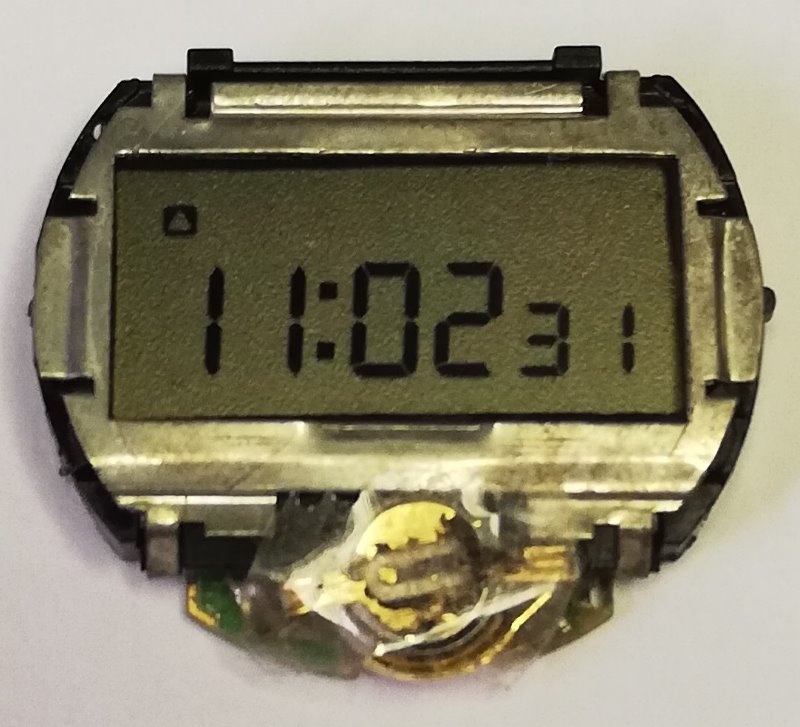 Model: 1035057_8 rev. L (for Men's watch)
Battery: LR41 Face: LCD 6 digit + week Light: Yes Year: 1979 Buttons: Two buttons are used, top right, bottom left (light)
Function: It displays hours, minutes, seconds, and the day of the week, and has a stopwatch with hundredths of a second. It does not have a built-in light.
Info: This module is used in the following model TI-3553-11, TI-3553-21, TI-3553-31, TI-3553-41
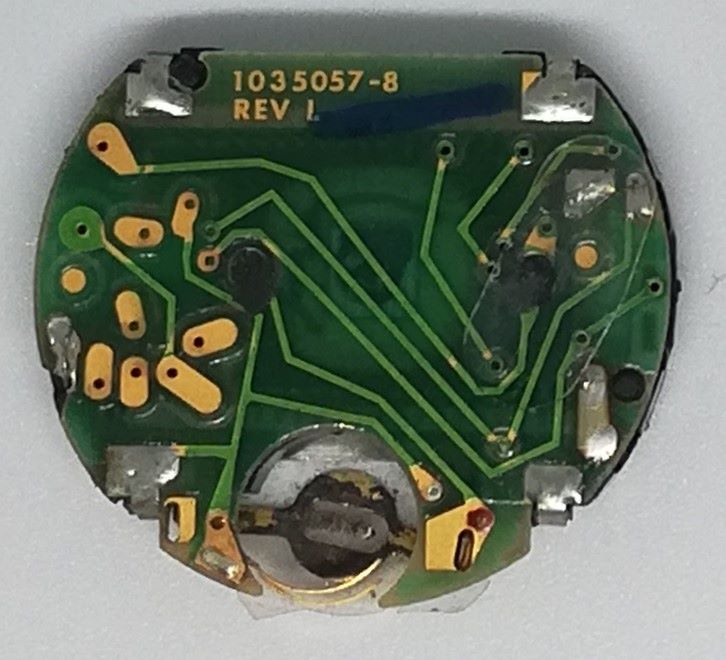
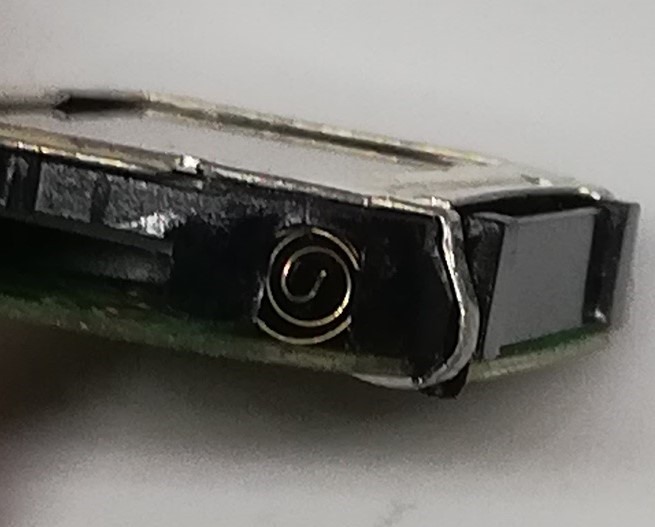 Here you can see the particular contact that is used by the button when pressed. Only two buttons are used, one on the top right and one on the bottom left (light). The top right button allows you to select the date and day of the week, while the bottom left button activates the micro-bulb for illumination. To set the settings, press both buttons simultaneously.
.jpg) Model: 1035691-3 rev.b (for Women's watch)
Model: 1035691-3 rev.b (for Women's watch)
Battery: LR721 Face: LCD 4 digit Light: NO Year: 1981 Module: Two buttons are used: top right, and bottom right.
Function: Displays hours, minutes, seconds and date. It does not have a built-in light
Info: This module is used in the following model TI-2551-30
.jpg)
.jpg)
Here you can see the specific contact the button uses when pressed. Two buttons are used: the top right and the bottom right. The top right button is used to select the time, seconds, and date (day and month), while the bottom right button is used to set the time, day and month.
.jpg) Model: 1035726_8 Rev F (for Men's watch)
Model: 1035726_8 Rev F (for Men's watch)
Battery: LR41 Face: LCD 6 digit Light: NO Year: 1982 Buttons: Three buttons are used, top left, top right, bottom right
Function: It displays hours, minutes, seconds, and the day of the week, and has a stopwatch with hundredths of a second. It does not have a built-in light.
Info: This module is used in the following modelTI-xxx-183, TI-xxx-184
.jpg)
.jpg) Here you can see the particular contact that is used by the button when pressed. Three buttons are used: top left, top right, and bottom right. The top right button allows us to select the date, seconds, and stopwatch; the bottom right button is used to set the time and date; and the top left button is used to start and stop the stopwatch.
Here you can see the particular contact that is used by the button when pressed. Three buttons are used: top left, top right, and bottom right. The top right button allows us to select the date, seconds, and stopwatch; the bottom right button is used to set the time and date; and the top left button is used to start and stop the stopwatch.

.jpg "Core Module Watch")

.jpg "Calculator Fuller")

.jpg "Olivetti Valentine")
.jpg "Console / Games")
.jpg "Battle Star Galactica")
.jpg "APPLE")


.png)